IMPORTANT: Please review the ‘Getting Started’ section below before accessing the Major Event app.

Getting Started
- Visit your app store on your smart phone or scan the QR code above to be redirected there. Visit the following link to navigate directly to the web app (no download needed).
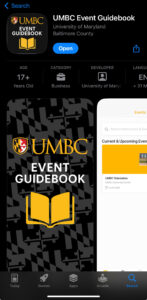
- In your phone’s app store, download UMBC Event Guidebook (iOS image to above on the right). You must sign in using your UMBC CREDENTIALS (e.g. tgrit@umbc.edu) to access to The Major Event 2026 app. **You may need to adjust settings for the UMBC Event Guidebook to “Allow Pop Ups” for the UMBC login page to appear. Login will not be required for accessing the app in the future.
- Select The Major Event 2026 app icon. The event code is: QUEST
- “Allow Notifications” in your app settings to get announcements from The Major Event app. You’ll need this for the questing game, especially.
- That’s it….Your Adventure Awaits!